Rental Prices: How can I specify a special price?
You can enter a special offer for a specific period. This period will be displayed separately in your listing, and travelers can filter for such offers.
You can set up discounts either in the basic settings of your listing or within the seasonal periods in the rental price calendar.
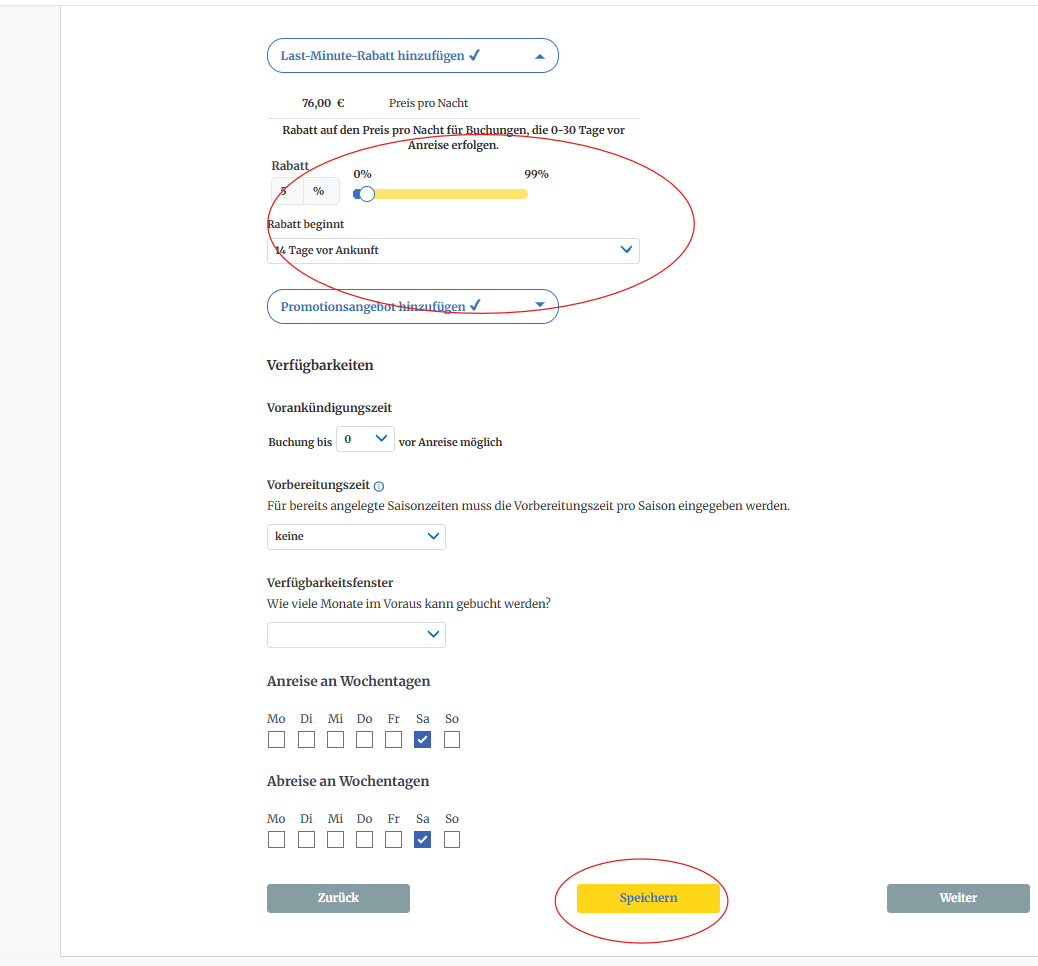
A) Entering a discount in the basic settings
- Log in to your host account.
- Select the listing you want to edit and click “Edit.”
- In the blue menu bar, click “Prices.”
- Scroll to the “Discounts & Offers” section.
Here, you will find several options, such as:
- Add discounted weekly rate
- Add discounted monthly rate
- Add early-bird discount
- Add last-minute discount
- Add promotional offer
- Open the option you want to use.
- Enter the desired discount percentage and define the conditions (e.g., period, start date of the discount, or number of days before arrival).
- Click “Save.”
After saving, a checkmark will appear on the corresponding button, indicating that a discount is active.
Example:
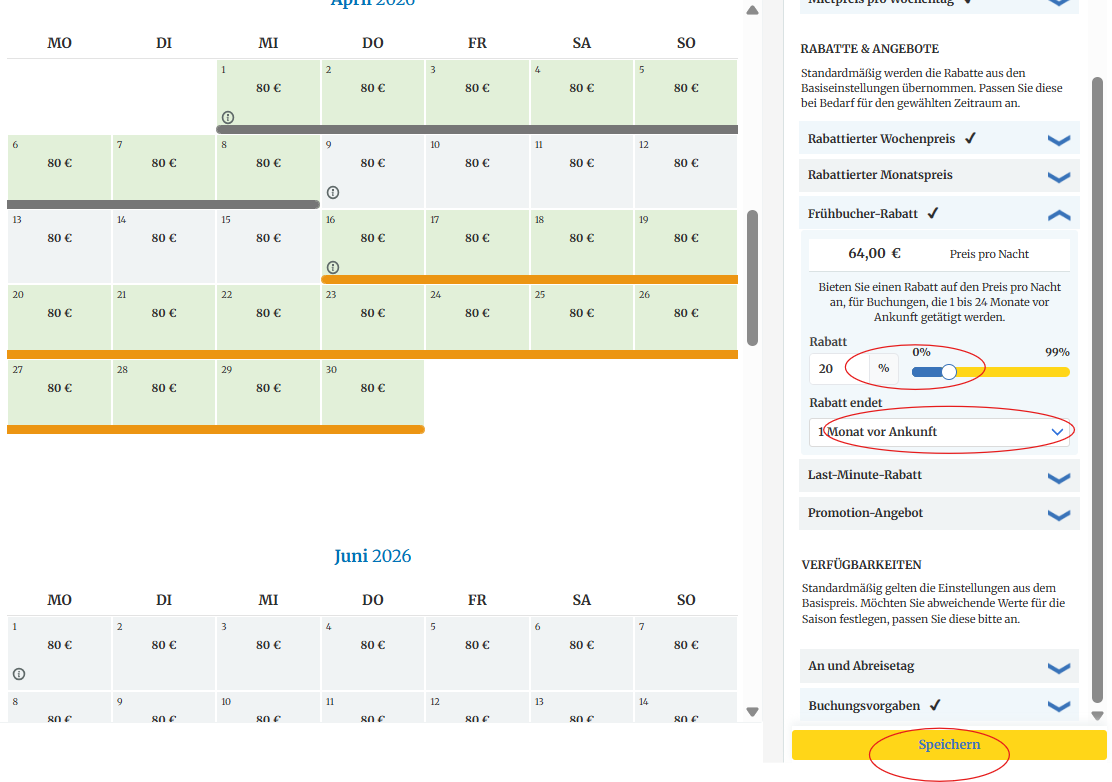
B) Entering a discount for seasonal periods in the rental price calendar
If you work with seasonal prices, you can set discounts directly in the rental price calendar for specific time periods.
- Open the rental price calendar of the relevant listing.
- Locate the season or time period for which you want to apply a discount.
- Open this entry for editing.
- Enter the desired discount (in %) and, depending on the settings, define the valid period or the start date of the discount.
- Save your changes.
Repeat this step for all seasonal periods in which the discount should apply.
Please note: If you have entered seasonal prices in the rental price calendar that differ from the base price, we recommend setting or maintaining the discounts directly within these seasonal periods. This ensures that the final price shown to your guests is always calculated correctly.
Was this article helpful?
Thank you for your feedback.
Sorry to hear that. Let us know briefly what was missing – we will improve the article.
Still have questions?
Our support team will help you personally.
support@tourist-paradise.com or submit a support request