How can I delete a special price/discount?
You can easily remove discounts and promotional offers.
Below you will find our step-by-step guide:
- Log in to your host account.
- Select the listing you want to edit and click “Change.”
Depending on where the discount was set, proceed as follows:
A) Removing a discount in the basic settings
- In the blue menu bar, click “Prices.”
- Scroll to the “Discounts & Offers” section.
- Open the discount you want to edit. A checkmark on the button indicates that a discount is currently active.
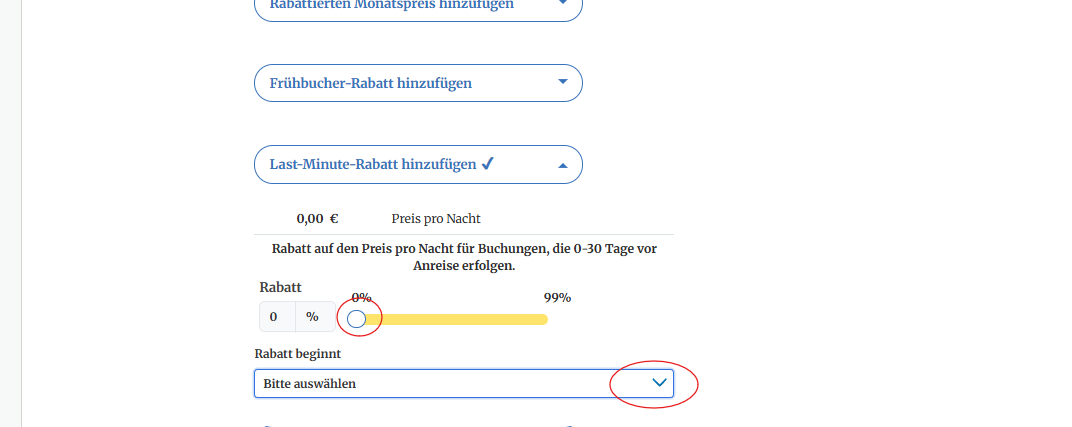
To delete a discount (e.g. last-minute, early-bird, weekly or monthly discount):
- Open the respective discount.
- Set the discount slider to 0% or digit direclt 0 in the box with the percentage.
- Set “Discount starts on” to “Please select.”
- Click “Save.”
Once no discount is stored anymore, the checkmark on the button will automatically disappear after saving.
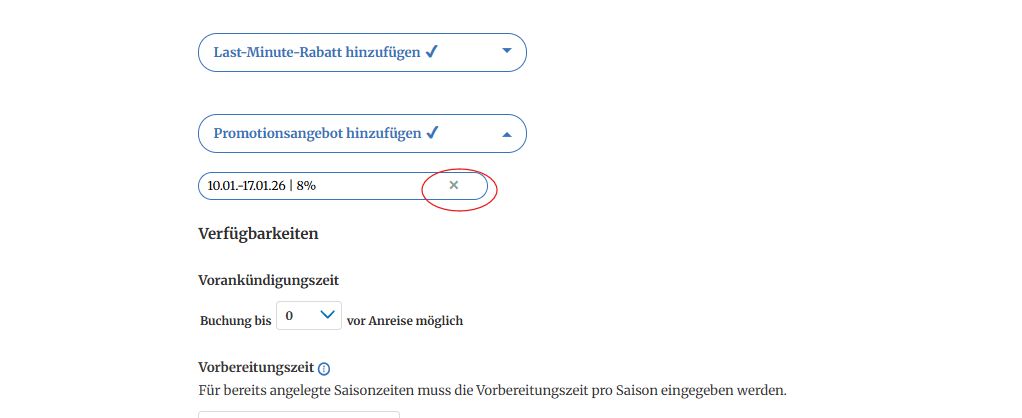
To delete a promotional offer:
- Under “Add promotional offer” you will see the active promotion (e.g. 10/01–17/01/26 | 8%).
- Click the “X” next to the entry.
- Click on Save.
B) Removing a discount in seasonal periods in the rental price calendar
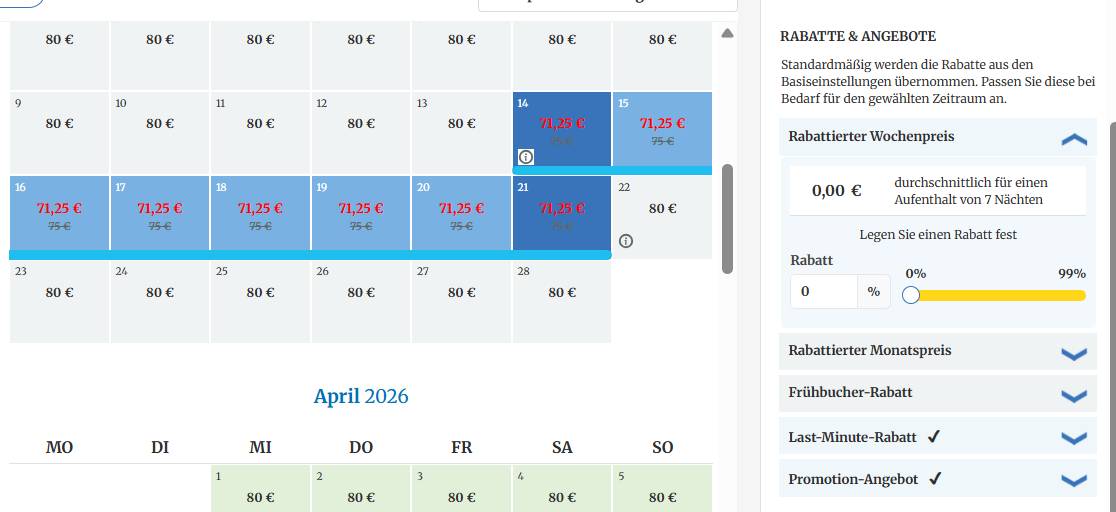
If you are working with seasonal periods and have set discounts there, follow similar steps:
- Open the rental price calendar of the respective listing.
- Locate the season or period in the calendar where the discount applies.
- Open this season/entry for editing.
Now you can remove the discount as in the basic settings:
- Set the discount slider to 0%,
- Set “Discount starts on” to “Please select” (if applicable),
- Save your changes.
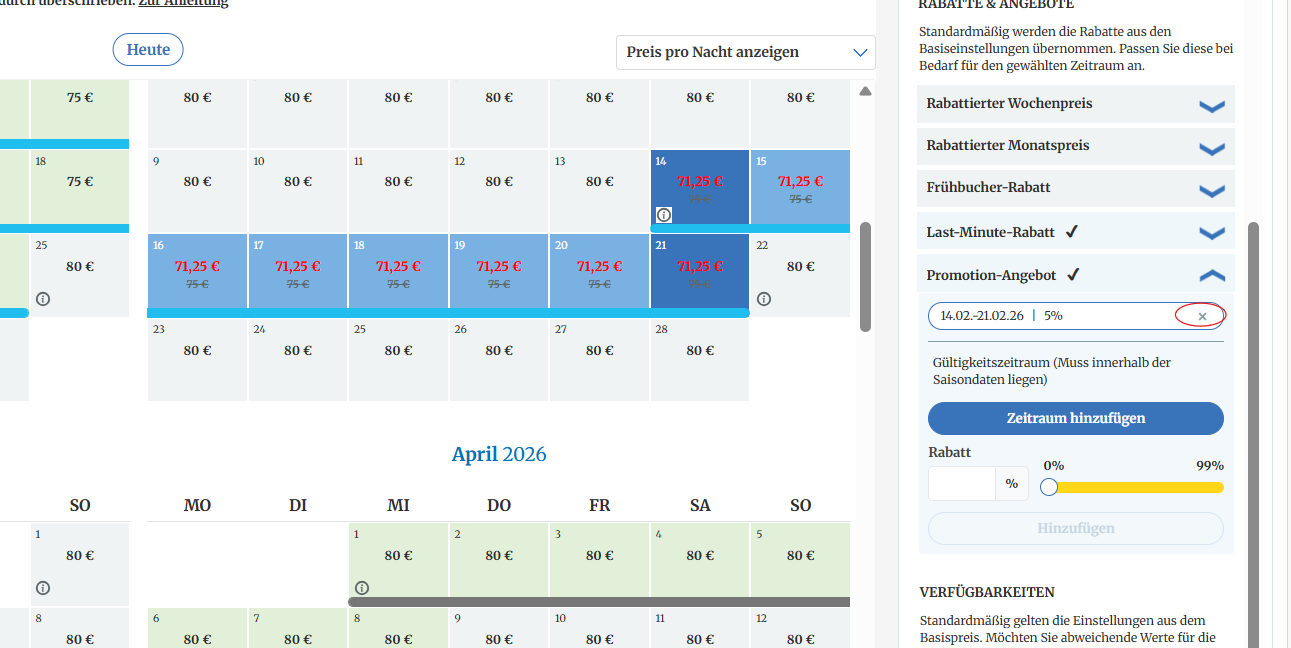
If a promotional offer is stored there as well, delete it by clicking the “X” next to the entry and then save your changes.
Was this article helpful?
Thank you for your feedback.
Sorry to hear that. Let us know briefly what was missing – we will improve the article.
Still have questions?
Our support team will help you personally.
support@tourist-paradise.com or submit a support request