How do I set payment terms?
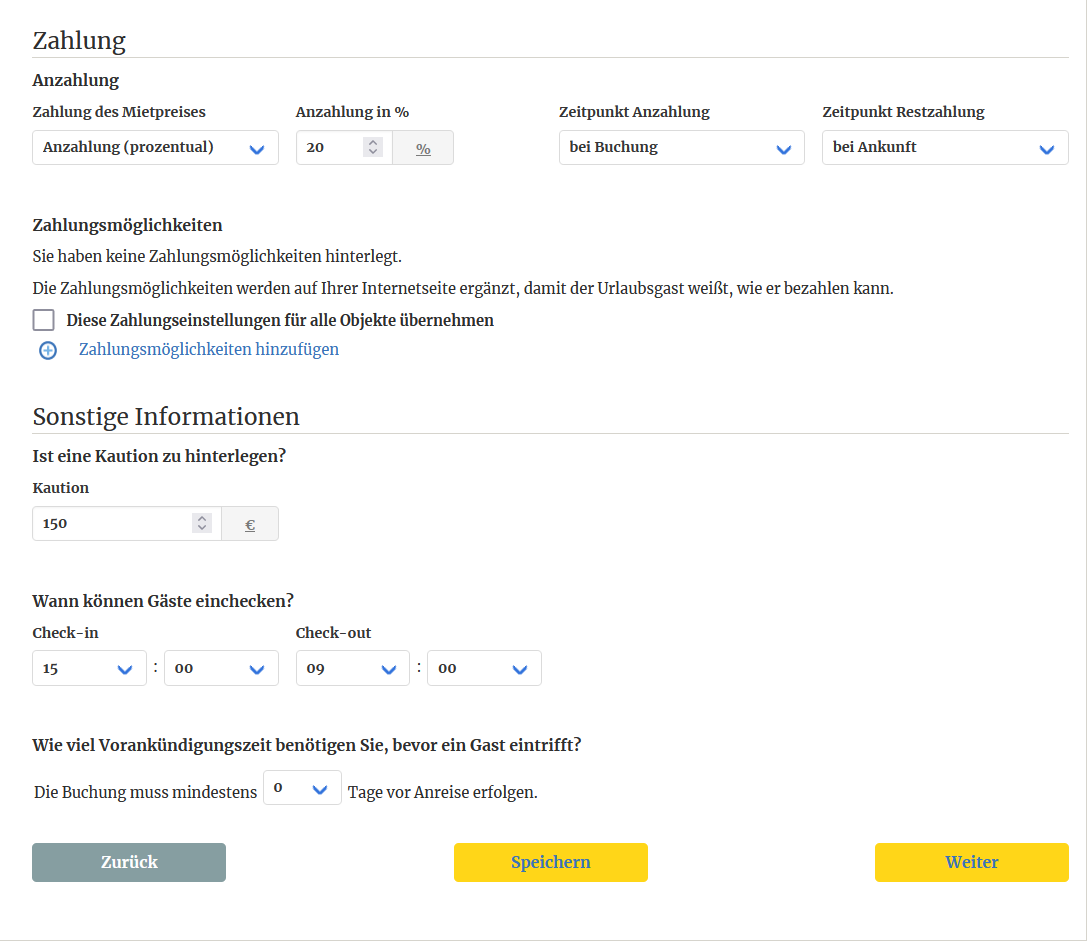
You can specify your payment terms under rental conditions.
Step-by-Step Guide:
- Log in to your owner account.
- Click on “change” on the listing you want to edit.
- Select in the Menu "Terms & Conditions".
- Choose between a percentage or fixed price for the deposit amount.
- Set the percentage or amount, as well as the timing for the deposit and final payment.
- Click on "Add Payment Methods" to specify accepted payment types.
- Enter the security deposit amount in euros.
- Click "Save".
Was this article helpful?
Thank you for your feedback.
Sorry to hear that. Let us know briefly what was missing – we will improve the article.
Still have questions?
Our support team will help you personally.
support@tourist-paradise.com or submit a support request