How does the 24-hour booking work in detail?
A 24-hour booking is a binding booking request sent directly to the host. When you use our 24-hour booking, the host receives your booking request, in which you commit for 24 hours to booking the property on the stated rental conditions. The host can accept or decline your booking within 24 hours. You'll always hear back within this time. You can spot listings that offer 24-hour booking right in the results list: the label “24-hour booking” appears above the “from” price. Listings with 24-hour booking are shown under the “Direct booking” filter.
The 24-hour booking process, step by step
Step 1: Check whether the property is still available for your preferred dates and have the price calculated. Our price calculator does both for you; you'll find it on the detail page of every listing. Just enter your arrival and departure dates and the number of guests. Tip: If you have questions for the host before sending a binding booking request, contact them beforehand. 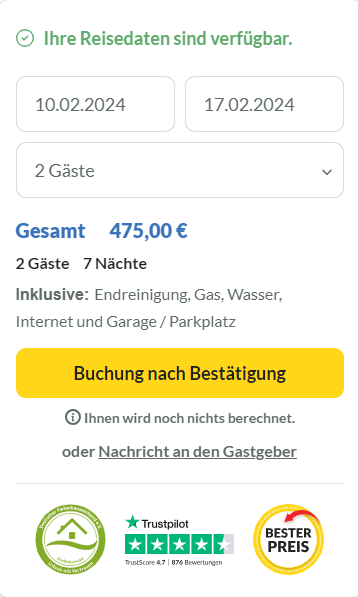 |
|---|
Step 2: Click the Request booking button to enter your contact details and further information about children and pets. 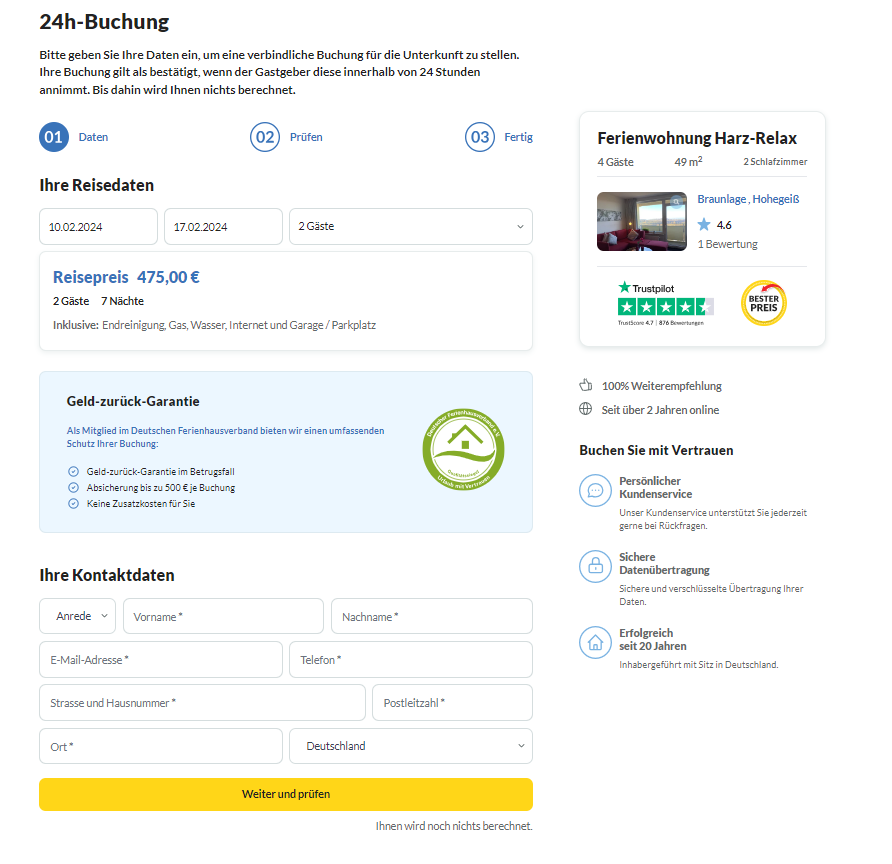 |
Step 3: You'll see an overview of your details and the exact rental price. Before you click the "Send binding booking request" button, you need to accept the host's cancellation policy as well as the terms and conditions and privacy policy of tourist-paradise.com**.** Tip: Read the host's cancellation policy carefully before completing your booking. 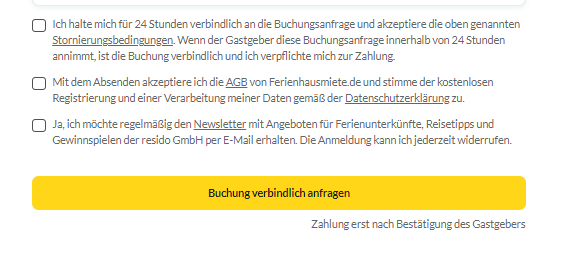 |
| Step 4: You'll receive a confirmation of your booking from the host. Log in to your guest account to communicate with the host: https://www.tourist-paradise.com/login.php You then sign the rental contract directly with the host. Payment is also made directly between you and the host. |
Was this article helpful?
Thank you for your feedback.
Sorry to hear that. Let us know briefly what was missing – we will improve the article.
Still have questions?
Our support team will help you personally.
support@tourist-paradise.com