How to Cancel a 24-Hour Booking
There are two ways to cancel a 24-hour-booking:
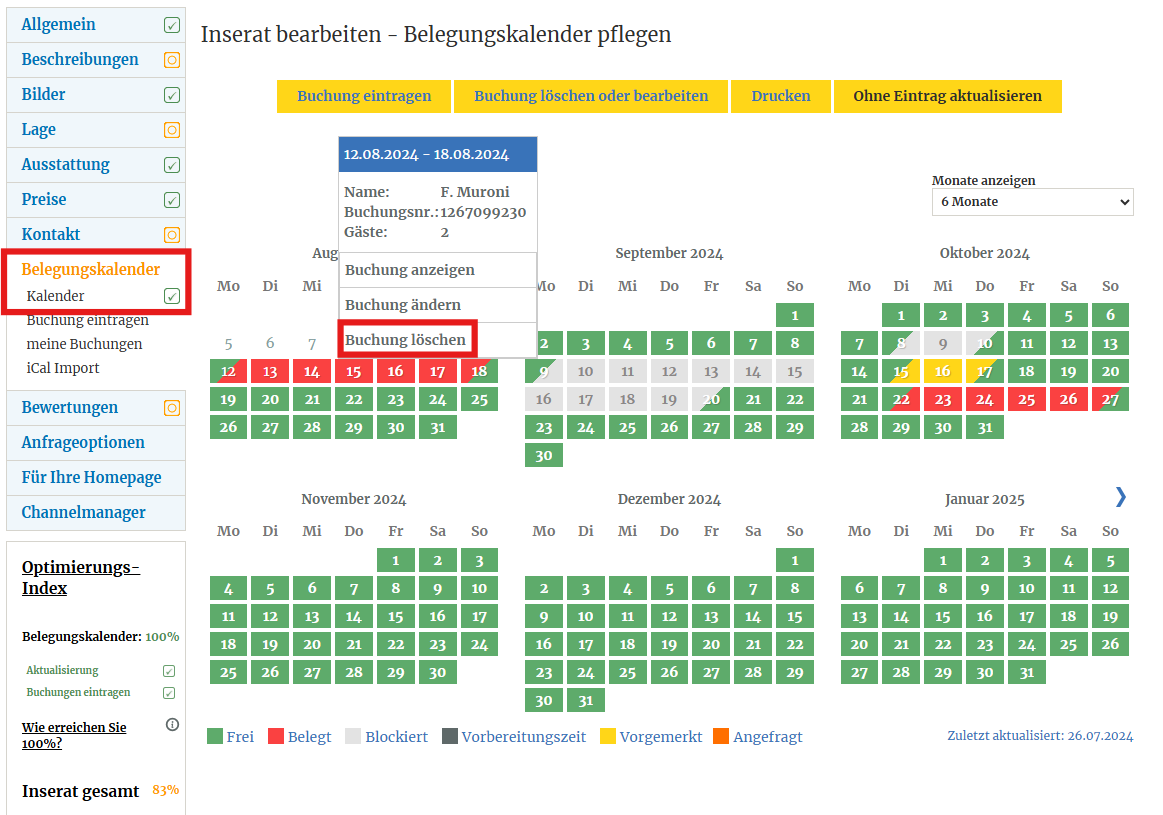
1. Canceling the 24h-booking through the calendar:
- Click on the relevant booking in the calendar.
- Select "Delete booking."
- The reservation will be cancelled.
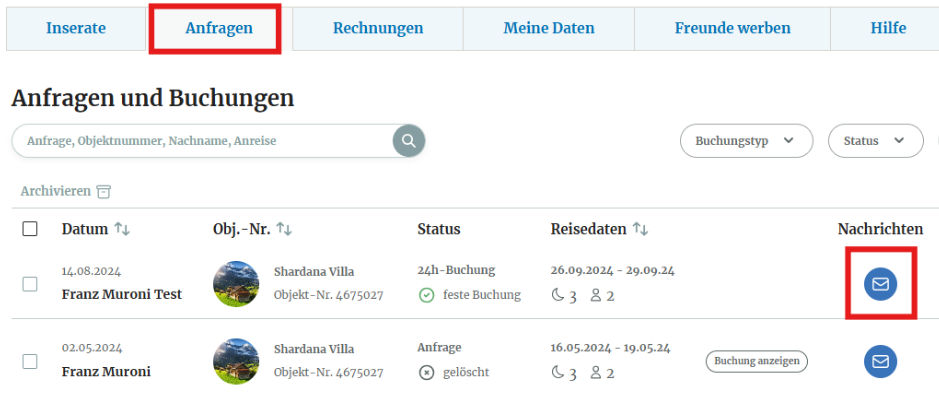
2. Canceling a 24h-booking through the "View enquiries" tab:
- Go to the "View enquiries" tab and click on "Letter-symbol" of the relevant booking.
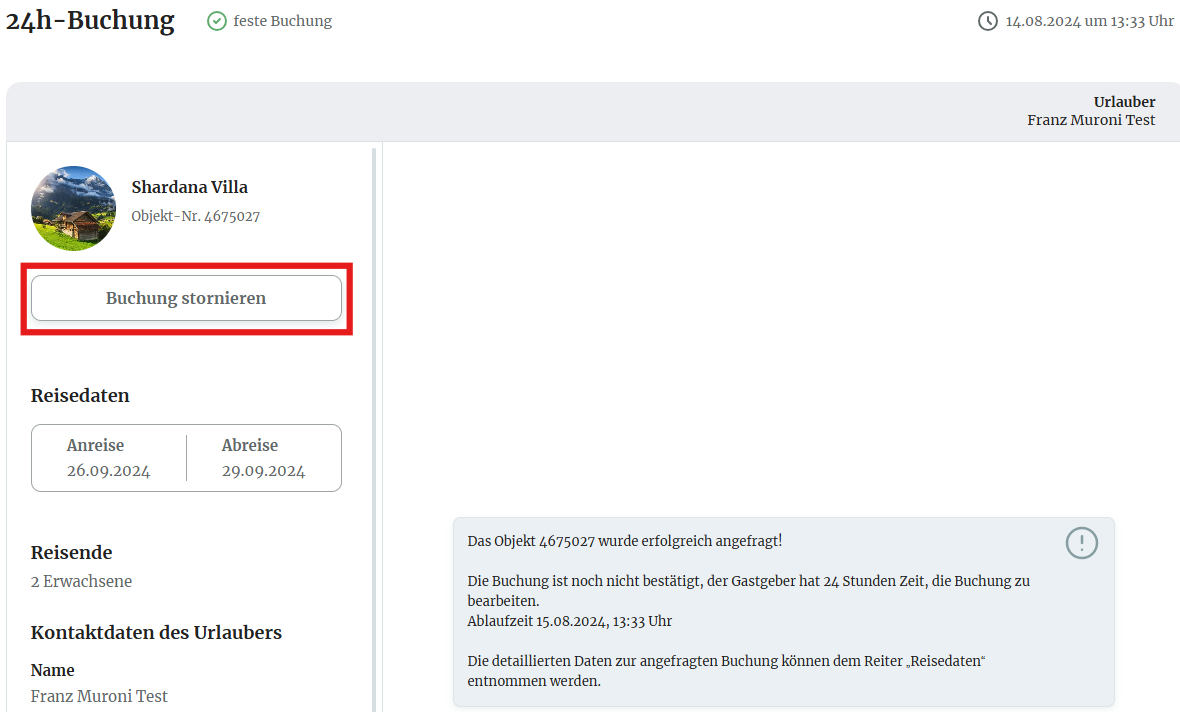
- Click the "Cancel Booking" button.
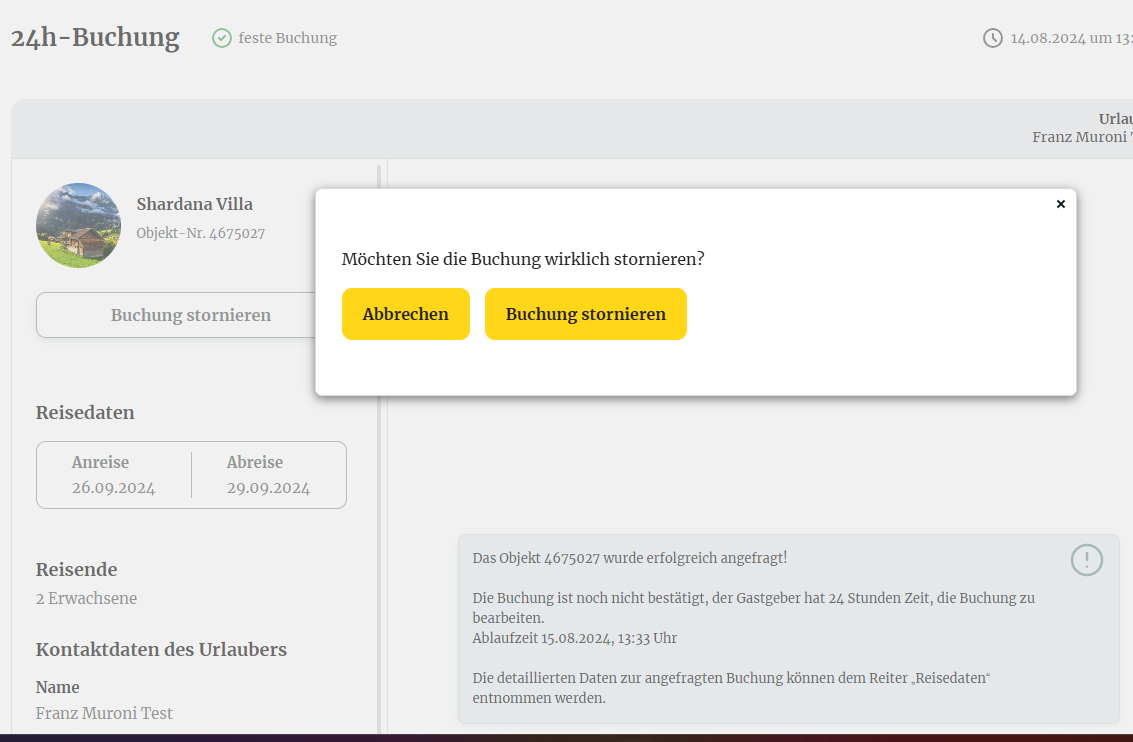
- Please confirm the cancellation by clicking on "Cancel Booking". Once confirmed, the guest will be notified, and the dates will be automatically removed from the calendar.
Was this article helpful?
Thank you for your feedback.
Sorry to hear that. Let us know briefly what was missing – we will improve the article.
Still have questions?
Our support team will help you personally.
support@tourist-paradise.com or submit a support request