What is a guest account and how do I create one?
What is a guest account?
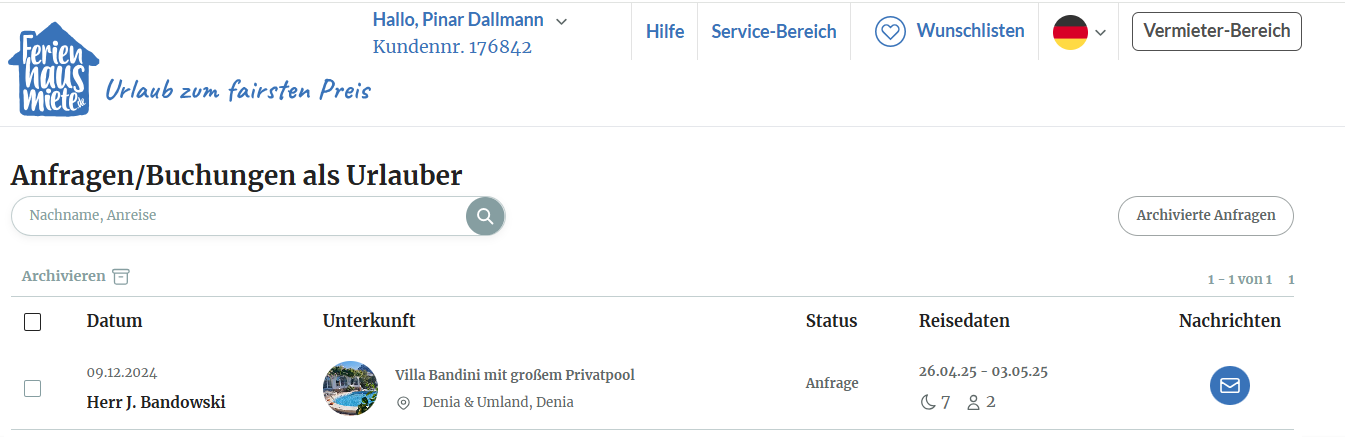
A guest account on our platform is your personal area where you can manage everything important about renting vacation properties. Here you can:
- View and manage your inquiries.
- Add properties to your wish list and save them permanently.
- Use our secure messaging system to communicate with hosts.
The messaging system is a central part of your guest account. It lets you keep track of all your conversations with hosts and reply to their messages directly. Using our messaging system keeps your personal data protected and your communication secure and in one place. This makes exchanging information easier and your vacation planning simpler and safer.
How do I get a guest account?
When you send a booking request, you're registered free of charge and a guest account is created for you. After sending a booking request, you'll receive an email from us that lets you set your own password. The guest account is always free of charge and is simply there to make it easier to manage your inquiries and plan your vacation.
How do I create an account before my first inquiry?
- Click Login at the top of the page.
- Then click Register as a guest.
- Enter your contact details.
- Create a new password with 6–12 characters that contains at least one number.
- Repeat the password.
- Accept our terms and conditions and privacy policy by ticking the box.
- Click Register for free.
Related articles
Was this article helpful?
Thank you for your feedback.
Sorry to hear that. Let us know briefly what was missing – we will improve the article.
Still have questions?
Our support team will help you personally.
support@tourist-paradise.com